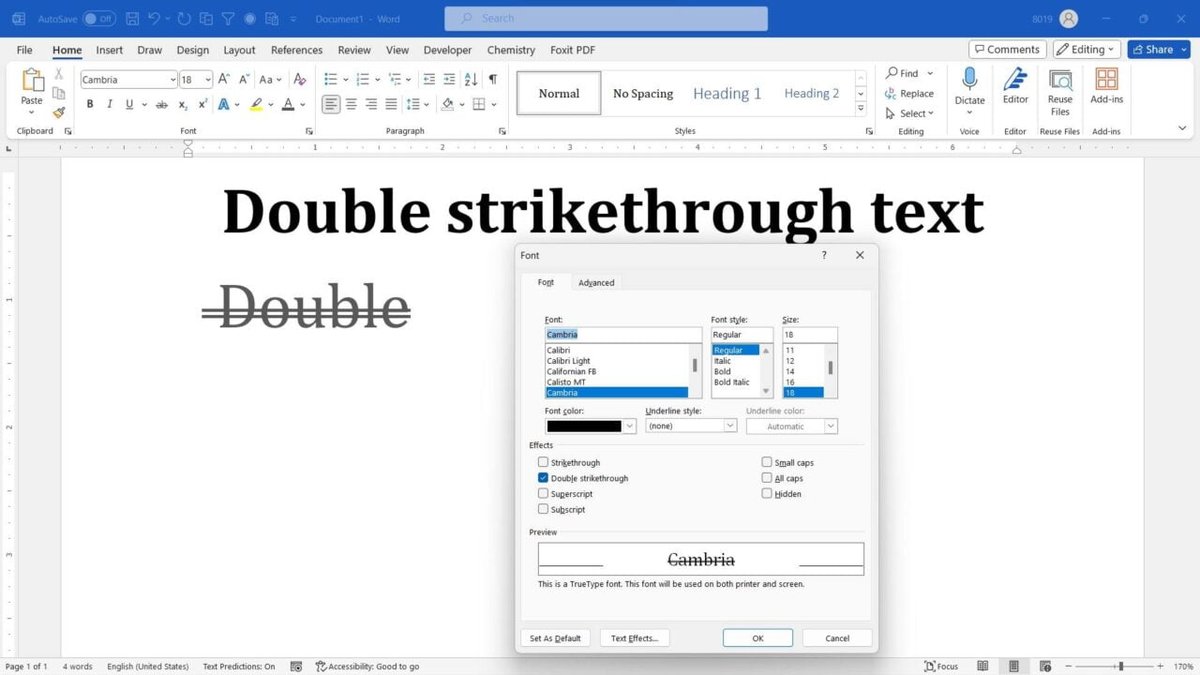
Strikethrough text – it's more than just a line through words. In a world saturated with information, clarity is king, and few visual cues are as effective and understated as the humble strikethrough for communicating change. Mastering the Effective Use Cases for Strikethrough Text isn't about mere aesthetics; it’s about preserving context, preventing user confusion, and building trust in your digital interfaces.
Think about it: when you see a line through a piece of information, your brain instantly processes that the original content existed, but its status has changed. It's a universal shorthand for "no longer valid," "completed," or "this was the old way." This simple visual device can dramatically enhance user experience, ensuring that changes are not just made, but understood.
At a Glance: What You'll Learn About Strikethrough
- Why it works: It’s a powerful visual cue that leverages real-world conventions to clarify changes without hiding information.
- Where to use it: From e-commerce pricing to task management and content editing, its applications are widespread and impactful.
- Design best practices: Subtle styling, pairing with other cues, and consistency are key to effective implementation.
- The technical side: Understanding HTML semantic tags (
<del>,<s>) versus pure CSS (text-decoration: line-through) for meaning and SEO. - Making it accessible: Crucial steps to ensure screen reader users receive the full context of strikethrough changes.
The Power of the Line: Why Strikethrough Works So Well
At its core, strikethrough text is a master of communication because it keeps the old while signaling the new. Unlike simply deleting or hiding content, which can leave users bewildered or questioning what was there before, strikethrough maintains visibility of the original information. This simple act of preservation is a cognitive shortcut: it prevents uncertainty and disorientation, allowing users to instantly grasp that something has been altered, not just vanished.
Its strength lies in instant recognition. We've all crossed out a mistake on a paper, or seen an outdated price scratched out in a store. This real-world convention translates seamlessly into digital interfaces. From a cognitive perspective, it preserves critical context, freeing users from having to recall disappeared elements or puzzle over the meaning of a faded, semi-transparent alternative. It says, "Here's what it was, and here's what it is now," without ambiguity.
Where Strikethrough Shines: Real-World Applications
The beauty of strikethrough text lies in its versatility. You’ll find it across a multitude of interfaces, solving distinct user experience challenges with a consistent, clear message of change.
E-commerce: Highlighting Value with Price Reductions
Perhaps its most common and recognizable use is in online shopping. When you see an item listed with a higher price struck through, followed by a lower current price, you instantly understand the discount.
- Example:
$99.99$49.99 - Why it works: It visually emphasizes the savings, making the deal more appealing and transparent. This quick comparison reinforces value and encourages purchasing.
Task Managers: Marking Progress, Not Deleting History
In project management tools or simple to-do lists, strikethrough provides a clear visual cue for completion without removing the item entirely.
- Example:
Send meeting agenda- Prepare Q3 report
Follow up with Sarah- Why it works: It allows users to see what has been accomplished, offering a sense of progress, while still maintaining a record of all tasks. It keeps the list intact, preventing the mental effort of recalling what was previously there.
Messaging Apps: Clarifying Edits and Retractions
Mistyped a message? Sent something you immediately regret? Many modern messaging platforms use strikethrough to indicate edited or retracted messages.
- Example: "Let's meet at 7pm ~tonight~ tomorrow."
- Why it works: It preserves the integrity of the conversation, showing that a change occurred and often what was changed, without erasing the original thought completely. This prevents confusion for other participants who might have seen the original message.
Settings and Selection UIs: Communicating De-selection
In user interfaces where options can be selected or deselected, strikethrough can visually signal an unavailable or deselected choice without completely hiding it from view.
- Example:
- English (US)
Spanish (MX)(Not available in your region)- Why it works: It prevents abrupt changes in layout and keeps all options visible for reference, guiding the user without breaking their flow.
Content Review: A Lightweight Audit Trail for Collaborators
For teams collaborating on documents or web content, strikethrough serves as a simple "track changes" mechanism, indicating proposed deletions.
- Example: "We need to ~remove this paragraph~ revise the introduction."
- Why it works: It provides a clear, visible audit trail, allowing reviewers to see exactly what content is slated for removal before final publication. This is especially useful in drafts where context is crucial for understanding proposed edits.
Designing Strikethrough Right: Best Practices for Clarity
Effective strikethrough isn't just about applying a line; it's about thoughtful design. A poorly implemented strikethrough can hinder readability or even confuse users. Here’s how to get it right:
Keep it Subtle
The primary purpose of strikethrough is to mark change, not to obliterate text. The line itself should be light and delicate. A thick, dark line can make the underlying text harder to read, defeating the purpose of preserving context. Aim for a line that's distinct but doesn't dominate.
Pair with Complementary Cues
For truly unambiguous meaning, especially in complex UIs, consider pairing strikethrough with other visual cues.
- Opacity reduction: Striking through text and slightly fading it can reinforce that the content is no longer primary.
- Color shifts: A subtle change in color (e.g., to a light gray) for struck-through text can further distinguish it from active content.
- Icons or labels: A small "Completed" label next to a struck-through task, or an "Unavailable" icon, can eliminate any doubt.
Think About Accessibility From the Start
Visual strikethrough can be completely ignored by screen readers, leaving users who rely on them without crucial context. This isn't just a best practice; it's a non-negotiable requirement for inclusive design. We'll delve deeper into actionable accessibility strategies shortly.
Stay Consistent
Like any UI element, consistency is paramount. Define the specific role of strikethrough in your design system and adhere to it uniformly across your product or website. If it means "completed" in a task list, it shouldn't mean "deleted" in another context without clear additional cues. Users learn patterns, and consistency builds predictable (and positive) experiences.
Test with Typography
The appearance of a strikethrough line can vary dramatically across different fonts and screen sizes. Always test:
- Line thickness: Is it still legible on smaller screens or with thinner fonts?
- Vertical alignment: Does the line intersect the text cleanly, or is it too high/low, potentially obscuring letters or looking awkward?
- Color contrast: Ensure the line itself and the text beneath it meet accessibility contrast standards if you're using color.
Under the Hood: Choosing the Right Strikethrough Method
The way you implement strikethrough technically matters, not just for visual presentation but for semantic meaning and even search engine optimization. There are three primary methods, each with a distinct purpose.
1. HTML <del> Tag: Semantic Deletion
The <del> tag explicitly tells browsers and search engines that the enclosed content has been deleted from the document. It carries strong semantic weight.
- Purpose: To semantically indicate content that has been explicitly removed or deleted from a document. Think of it as a formal record of an edit.
- Best Use Case: Showing track changes in a collaborative document (e.g., "The deadline was ~
Friday~ Monday."), or specifying a change to a legally binding date or requirement. - SEO Impact: Search engines typically ignore content inside
<del>when indexing your page. This means the struck-through text won't contribute to your keyword rankings or snippets.
2. HTML <s> Tag: No Longer Correct or Relevant
The <s> tag is for content that is no longer accurate or relevant but is retained for contextual purposes. It’s less about formal deletion and more about signaling outdated information.
- Purpose: To mark text as no longer correct or relevant but is retained for context. It visually represents "this is wrong, but here's what it was."
- Best Use Case: Displaying discounted prices (e.g., Our strike through text generator can help you visualize these price changes!), indicating outdated product specifications, or marking completed to-do items where the original item itself isn't deleted from the list, just no longer current.
- SEO Impact: Search engines may index content within
<s>, but they might give it less weight than other, current content. It's generally considered less impactful than active, non-struck content.
3. CSS text-decoration: line-through Property: Purely Visual Styling
This CSS property is purely for styling. It adds a visual line through text but carries no semantic meaning about the content's status.
- Purpose: Purely for styling; it adds no semantic value to the text. It's a visual effect, much like changing font color.
- Best Use Case: Decorative UI elements, visual flourishes where the line has no deeper meaning (e.g., a creative header design), or when you're using JavaScript to dynamically apply a visual strikethrough without any underlying semantic change.
- SEO Impact: Has no direct impact on SEO. Search engines treat the text within as regular content.
Choosing the Right Method
The rule of thumb is simple: If the strikethrough conveys meaning about the content's status (deleted, outdated, completed), use a semantic HTML tag (<del> or <s>). If it's purely for visual effect or decoration, use CSS text-decoration: line-through.
Avoid the deprecated <strike> tag. It's an old HTML tag that served a similar purpose to <s> but has been deprecated and should no longer be used. Stick to modern, semantic HTML.
Beyond the Basics: Customizing Strikethrough with CSS
While text-decoration: line-through provides a basic line, CSS offers several properties to fine-tune its appearance for better integration with your design system.
text-decoration-color: This property allows you to change the color of the strikethrough line, separate from the text color. For instance, you could have black text with a subtle grey strikethrough.text-decoration-style: Go beyond a solid line! Options includedouble,dotted,dashed, orwavy. This can be useful for differentiating types of strikethrough or simply adding a unique visual flair.text-decoration-thickness: Control the weight of the line. Using relative units likeemorrem(e.g.,0.06em) is crucial here for accessibility, as it ensures the line scales appropriately with different font sizes.
For more creative and advanced effects, such as animated or gradient strikethroughs, CSS pseudo-elements (::beforeand::after) can be used. By positioning these elements over the text, you can layer custom styles. However, remember that these advanced effects are purely visual and completely lack semantic meaning, so they will be ignored by screen readers and search engines. Use them sparingly and ensure they don't impede accessibility.
The Accessibility Imperative: Ensuring Everyone Gets the Message
This is perhaps the most critical aspect of implementing strikethrough text. A visual cue means nothing if a significant portion of your audience cannot perceive it.
The Challenge of Screen Readers
Purely CSS text-decoration: line-through is almost universally ignored by screen readers. A user relying on a screen reader will simply hear the text read aloud as if it were normal, active content, completely missing the context that it's been struck through, deleted, or marked as irrelevant.
While semantic HTML tags (<del>, <s>) do provide some inherent context, testing reveals that even <s> alone has only about a 50% pass rate with major screen readers. Some might announce "deleted text" for <del>, but it's not consistent, and <s> is often simply read as normal text. This is a significant gap in accessibility.
Actionable Insight: Achieving 100% Accessibility
To ensure 100% accessibility and guarantee that every user, regardless of how they access your content, understands the meaning of the strikethrough, you must combine methods.
Here’s how to do it effectively:
- Use Semantic HTML Tags: Always start with
<del>or<s>for their inherent semantic value.
- Example for a deleted price:
<del>$99.99</del> - Example for an outdated task:
<s>Finish report</s>
- Add Visually Hidden Text for Clarity: Supplement the semantic tag with text that is visually hidden (
class="sr-only") but readable by screen readers. This explicitly states the change.
- For a price change:
Was <del>$99.99<span class="sr-only">, now</span></del> $49.99 - For a completed task:
<span class="sr-only">Completed: </span><s>Finish report</s> - (Note: You'll need a CSS class like
sr-onlythat visually hides text but keeps it accessible to screen readers, e.g.,position: absolute; width: 1px; height: 1px; margin: -1px; padding: 0; overflow: hidden; clip: rect(0, 0, 0, 0); border: 0;)
- Leverage ARIA Attributes (Carefully): While
aria-labeloraria-describedbycan be used, they are generally less direct than visually hidden text for this specific use case. However, for more complex scenarios, you might use anaria-labelon a container element that explicitly describes the change.
- Example for a price change:
<span aria-label="Original price $99.99, now $49.99"> <del>$99.99</del> $49.99 </span>(This is more verbose and might be overkill for simple cases.)
By implementing a combination of semantic HTML and visually hidden descriptive text, you provide crucial context to screen reader users, ensuring they receive the full meaning of the change (e.g., "deleted $99.99, now $49.99" or "completed finish report"). This is the gold standard for accessible strikethrough.
A Final Word on Intentional Design
Strikethrough text is far from a trivial styling choice. It's a lightweight, high-impact design detail that, when used correctly, can significantly preserve context, clarify changes, and strengthen user trust with minimal UI overhead. It acknowledges that users need to understand the evolution of information, not just its current state.
By making intentional semantic choices—opting for HTML tags when meaning is conveyed—and committing to robust accessibility practices, designers and developers can effectively leverage this simple visual cue to elevate the user experience. It's a testament to the fact that sometimes, the most powerful communication tools are the most understated.